

Delta Airlines provides fast, complimentary Wi-Fi called Delta Sync, sponsored by T-Mobile, on almost 95% of its aircraft, 1,300 planes in total. If you are wondering, “Does Delta Airlines have WiFi?” Yes, and eligible SkyMiles members can browse the web, send messages, stream movies, and stay online during the flight.
However, Delta doesn’t offer free Wi-Fi on every flight. Some aircraft offer paid internet access, while others have no Wi-Fi at all. Before traveling, check your flight details to confirm whether onboard Wi-Fi is available and whether you can access it for free.
Do I Get Free Wi-Fi on Delta flights?
Delta Airlines provides free onboard Wi-Fi on almost all flights to SkyMiles members. The onboard internet service is called Delta Sync Wi-Fi. Passengers can surf the Internet, exchange messages, and watch videos while on the move. It is possible to use a compatible cell phone, tablet, or notebook to connect to such onboard internet services.
Nevertheless, there is no guarantee that you will have free access to the Internet on each and every flight. In some cases, airlines offer paid Wi-Fi on board.
Does Every Delta Aircraft Have WiFi?
Not at all. WiFi isn’t available in the same way on every Delta plane. Most Delta planes offer free Wi-Fi for SkyMiles members, while some regional planes and others may offer paid Wi-Fi or a different kind of connectivity altogether.
If you wish to know whether there is Wi-Fi on board your flight, you can check the official Delta website for information about the Wi-Fi availability in your plane. You can also check the Wi-Fi availability information near the plane’s boarding door.
Delta WiFi Connection Eligibility
Membership in the SkyMiles program is mandatory for using the complimentary Delta Sync Wi-Fi on selected aircraft. The good news is that SkyMiles membership costs nothing, and you can enroll before your trip or right during your flight from the Wi-Fi login screen. If you are not interested in joining the SkyMiles program, you may still buy Wi-Fi access if it is available. Consider what services the particular aircraft you fly with offers.
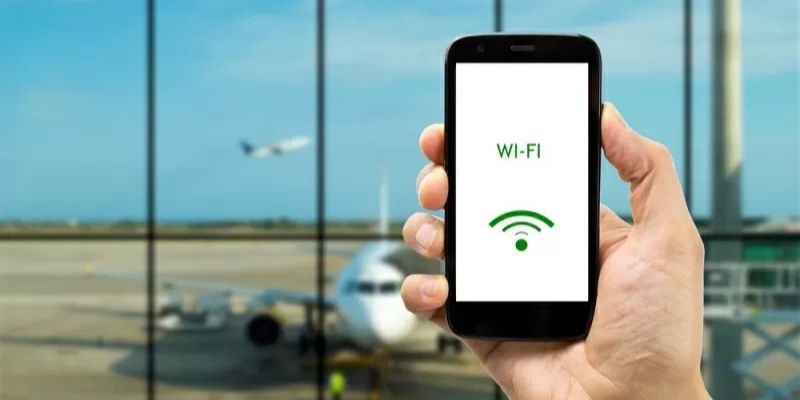
How to Connect to Delta Airlines WiFi in Minutes
To connect to the internet via Delta’s Wi-Fi, it is quite easy and does not take much time. After the airplane door closes, you can turn on Wi-Fi on your device and log in. Ensure that your device remains in Airplane Mode during this process.
These are the procedures for logging into the service:
- Toggle Airplane Mode on your mobile phone, tablet, or laptop computer.
- Toggle Wi-Fi on in your device settings.
- Pick the DeltaWiFi network among the networks available.
- Navigate to DeltaWiFi.com using your web browser if the login page does not open automatically.
- Log in using your SkyMiles account or register for a free membership.
- You will receive instructions on how to log in to the services on the portal.
When logged in, you can browse the web, send and receive messages, and use other available online services.
Can You Really Stream Movies at 35,000 Feet?
Yes, Delta Sync WiFi is engineered to stream on most Wi-Fi-enabled airplanes. You can stream movies, videos, social media, music, and other internet entertainment, depending on your connectivity. But performance will depend on satellite availability, the route, and how many people are using the network. In case you need to stream a particular show, download it before boarding the plane as a precaution
Does Delta WiFi Work During the Entire Flight?
Delta Wi-Fi can be accessed throughout the flight on planes that support it. Sometimes the connection will be slow or interrupted due to factors such as lack of satellite coverage, network congestion, issues with the plane’s technology, and geographical limitations. To use Delta Wi-Fi for free, check whether your plane is fitted with Delta Sync Wi-Fi.
Here are a few things to keep in mind when using Delta’s onboard internet:
| Flight stage or situation | What to expect |
| Before takeoff | Follow the crew’s instructions before connecting to onboard Wi-Fi. |
| During the flight | Internet access is generally available on equipped aircraft, subject to coverage. |
| Over remote areas | Connection speeds may vary because of satellite coverage limitations. |
| During network interruptions | You may need to reconnect when the service becomes available again. |
| Near arrival | Follow the crew’s instructions regarding device use and connectivity. |
What Can Affect Delta WiFi During Your Flight?
Many variables may affect Delta’s Wi-Fi service during your flight, such as satellite availability, the number of passengers using the connection, and the technology in your plane. Being aware of these variables will enable you to anticipate interruptions in the service.
- Satellite coverage: Some remote areas lack connectivity.
- Network congestion: Internet speeds might slow down if many passengers are using the service at once.
- Aircraft: Not all Delta aircraft provide Wi-Fi services.
- Regional restrictions: There may be restrictions on connectivity in certain regions.
Flying Internationally? Here’s What You Should Know
Delta Airlines offers Wi-Fi on most international flights, such as those across the Atlantic and Pacific. The global Wi-Fi offering by Delta Airlines has grown tremendously, although the offering of Wi-Fi free of charge is yet to happen on all international flights.
For more information, for instance, if you are flying from Delta Airlines LAX Terminal, check which flight you are on has free Delta Sync Wi-Fi or another service. This is especially useful if you will be traveling on a long-distance route.
| Feature | What to Know |
| Wi-Fi availability | Available on many international flights |
| Free Wi-Fi | Available on equipped flights for eligible SkyMiles members |
| Atlantic routes | Availability depends on the aircraft and route |
| Pacific routes | Coverage and free access may vary |
| How to check | Visit Delta’s official website or check your flight details |
| Internet usage | Browsing, messaging, and streaming may be available, depending on connectivity |
What Can You Actually Do With Delta In-Flight WiFi?
The onboard Internet access provided by Delta Airlines allows its customers to remain connected during the majority of their trip. Depending on the available connection and your device, you can use it for many purposes.
Some of the common uses are as follows:
- Sending messages via the supported messaging applications.
- Browsing sites and checking emails.
- Viewing videos and listening to music.
- Using online documents and tools.
- Checking travel information and flight details.
It should be noted that voice and video calls cannot be made during the flight, even when Wi-Fi is available. Also, some sites and applications might behave differently owing to the connection constraints.
Delta Airline WiFi Not Working? Try Easy Solutions
If you have trouble with Delta WiFi on your flight, don’t worry; several issues could be the cause, including settings problems or network issues. Try to solve them using the following methods.
1. Activate Airplane Mode: Ensure that Airplane Mode is activated on your phone, and activate WiFi after that. Airplane mode shall stay active while connected to the WiFi network on board.
2. Choose the Right Network: Access your WiFi settings and select the DeltaWiFi network. Ensure that you are not using another WiFi network around you.
3. Browse the Login Page: Access the internet using your web browser and visit the page https://www.DeltaWiFi.com/. Log in to your SkyMiles account or follow the instructions on the portal.
4. Reconnect to the Network: In case the above website does not open, then disconnect yourself from the WiFi network and connect again.
5. Inquire if WiFi Service is Available: Delta airplanes do not all have the same WiFi service. Therefore, inquire with the flight attendants if WiFi service is available in the aircraft.
6. Give Time to Connect Again: Sometimes, temporary disconnections may occur due to poor connectivity; wait a while and reconnect again.
If you can’t connect using the troubleshooting tips above, the problem is likely with the aircraft’s onboard computer system, not your phone. If you pay for WiFi but are unable to access the WiFi service, contact Delta Customer Support for a refund.
Conclusion
In this respect, does Delta Airlines have WiFi? Yes, Delta Airlines offers free in-flight Wi-Fi for SkyMiles members on almost all planes with in-flight Wi-Fi capabilities, allowing customers to browse the web, send messages, and watch movies while on board. However, the availability of this service may differ depending on your plane and your route, particularly if you take an international flight.
Commonly Asked Questions
Not necessarily. Wi-Fi is available on most Delta flights, but not all, and it varies by aircraft.
Yes, SkyMiles members enjoy free Wi-Fi service on most of the equipped Delta Airlines flights.
Airplane mode must be turned on, then enable Wi-Fi and choose DeltaWiFi.com.
Wi-Fi-enabled laptops, phones, and tablets can use Delta Wi-Fi services.
Streaming through Netflix and YouTube on the Delta Airlines Wi-Fi may work depending on the quality of the service on the aircraft.
Delta Wi-Fi service is available for many of the international flights.